Elevating web experience
Well Tech Labs
COMPANY
Blues
ROLE
Web Designer
EXPERTISE
UX/UI Design
YEAR
2024
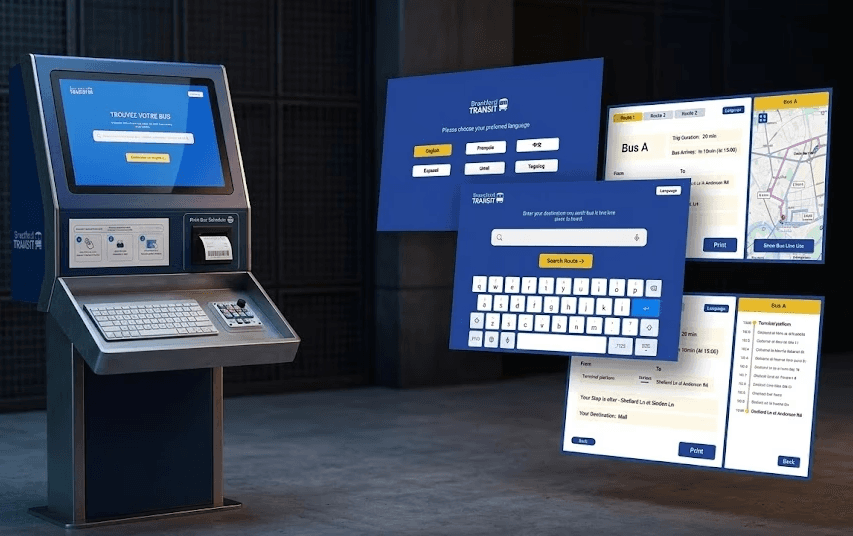
Generated using Gemini Pro, using real high fidelity prototype images
Background
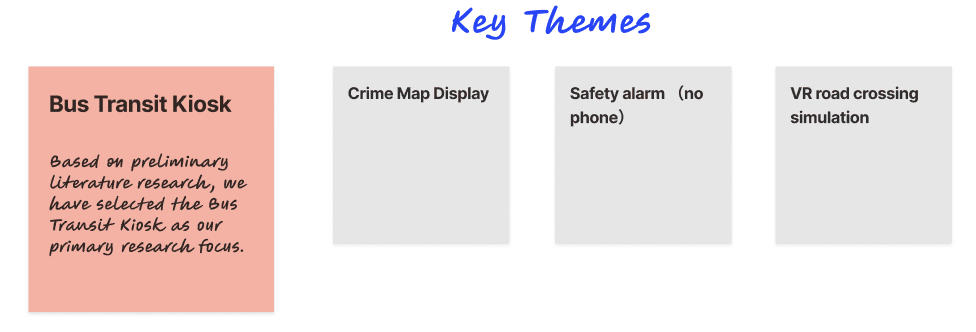
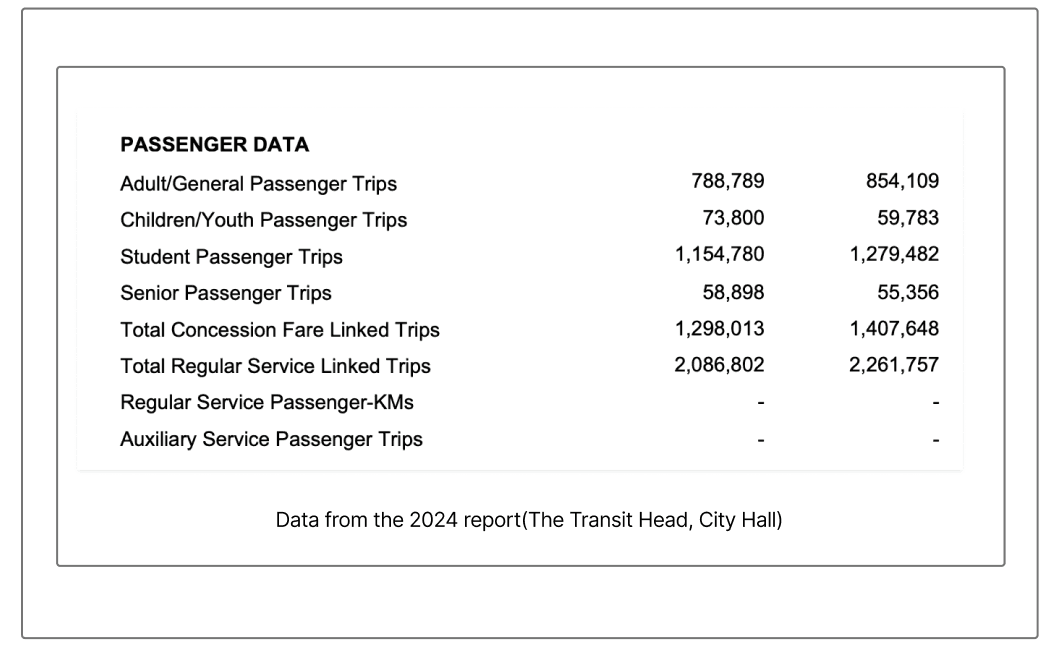
The client’s brief for a "Smart and Safe Downtown Brantford" provided a broad scope of areas to improve across the city. While most teams focused their solutions on physical security like cameras and lighting, we chose to explore mental safety.
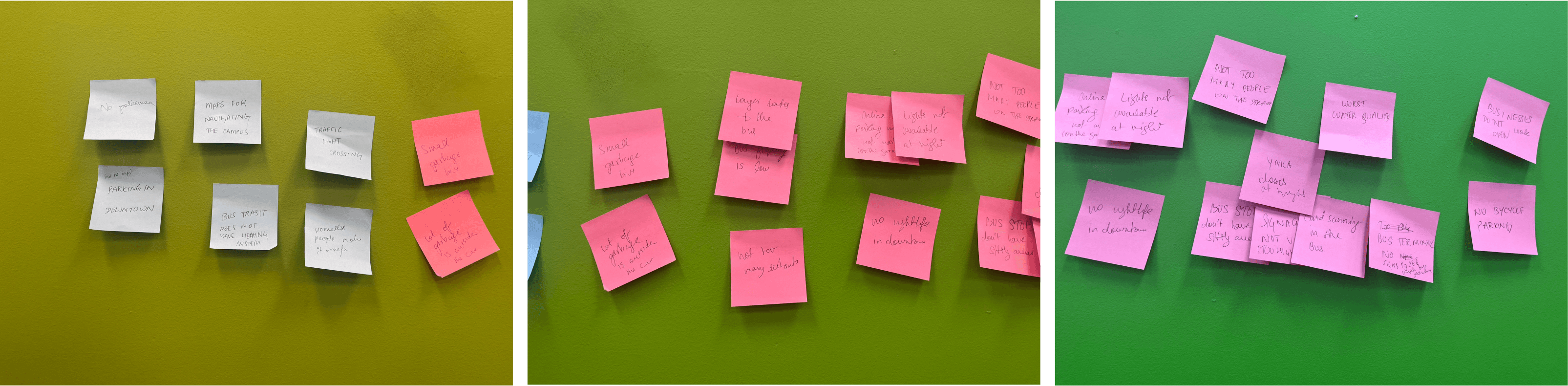
We narrowed our focus to the Brantford Transit terminal a primary hub where students, especially international newcomers, often find navigating the bus system intimidating.
For us, true safety went beyond physical security; it meant having the peace of mind and confidence of knowing exactly how to get where you need to go.
The Why
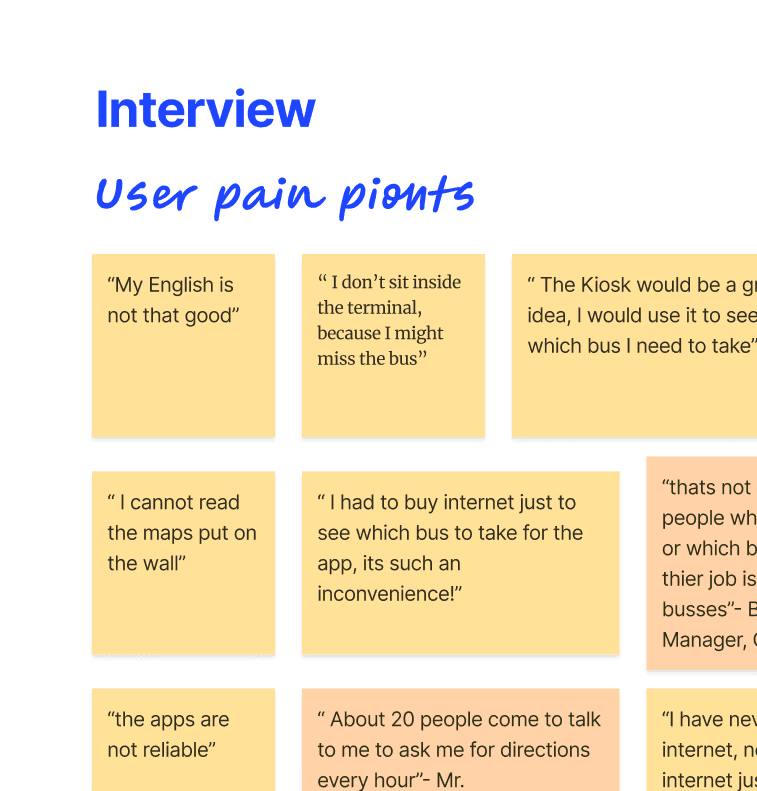
Phone Dependency & Costs: Static A4 schedules lack real-time updates, forcing users to buy expensive mobile data plans just to use transit apps.
Unpredictable Waits: Passengers wait outside in bad weather because they fear missing their bus if they wait inside the terminal.
Inaccessible Info: Hard-to-read wall maps and language barriers leave users confused, forcing transit staff to constantly answer wayfinding questions.


Challenge
The original Blues website had an outdated interface, making it difficult for users to navigate and discover new music.
Ways of working
The original Blues website had an outdated interface, making it difficult for users to navigate and discover new music.
The Who


The Problem Statement
Commuters face confusion & delays. No real-time info makes navigation hard, especially for seniors & newcomers.
Process
This category details the step-by-step approach taken during the project, including research, planning, design, development, testing, and optimization phases.

Phase 1: Discovery & Scoping
Conduct initial desk research to understand the domain.
Brainstorm core problems and identify key stakeholders.
Connect with stakeholders and define clear research goals.
Research & Planning
Conducted market research to identify existing scheduling challenges and user preferences. Defined target audience segments and outlined key features based on user needs and market trends.
Design & Prototyping
Collaborated with designers to create intuitive user interfaces and interactive prototypes. Iteratively refined designs based on user feedback to enhance usability and visual appeal.
Development & Implementation
Leveraged agile development methodologies to build the scheduling app from the ground up. Prioritized feature development based on user feedback and technical feasibility. Implemented AI algorithms to analyze user behavior and optimize scheduling recommendations.
Phase 2: Generative Research
Gather field notes and conduct field surveys to observe real-world context.
Synthesize early findings to narrow down and define the specific problem statement.
Observational data revealed a distinct behavioral split. While youth checked phones, seniors and newcomers entirely bypassed the static, clustered wall maps in favor of asking ticket booth staff.

Image created using Gemini Pro, using real insights recieved from field observations
Phase 3: Primary Research & Analysis
Recruit target participants for in-depth studies.
Conduct user interviews, contextual inquiries, and detailed surveys.
Analyze the qualitative and quantitative data to uncover actionable insights.
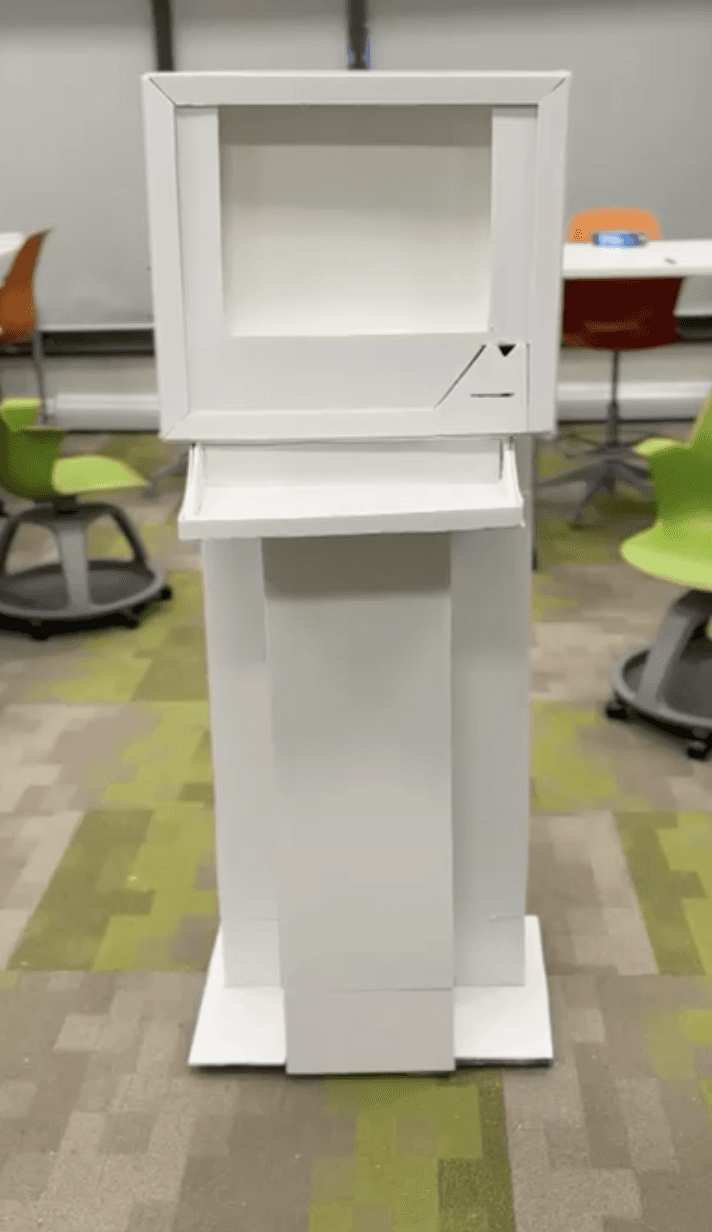
We also tested a low fidelity version of our prototype


Research Insights- Low & Mid Fidelity

Phase 4: Design & Validation
Build interactive prototypes based on research findings.
Conduct usability testing to validate and refine the design.
Synthesize final results for the final pitch presentation.
Phase 3 & 4 were conducted simultaneously where we would build low medium or high fidelity protoypes, test them out and go back to the drawing board.
Iterations
Based on user and stakeholder feedback collected during the previous phase, we optimized and iterated the overall solution during the medium-fidelity prototype stage.




Solution
The resulting AI-powered scheduling app offers a seamless user experience, allowing individuals and businesses to effortlessly manage their schedules.
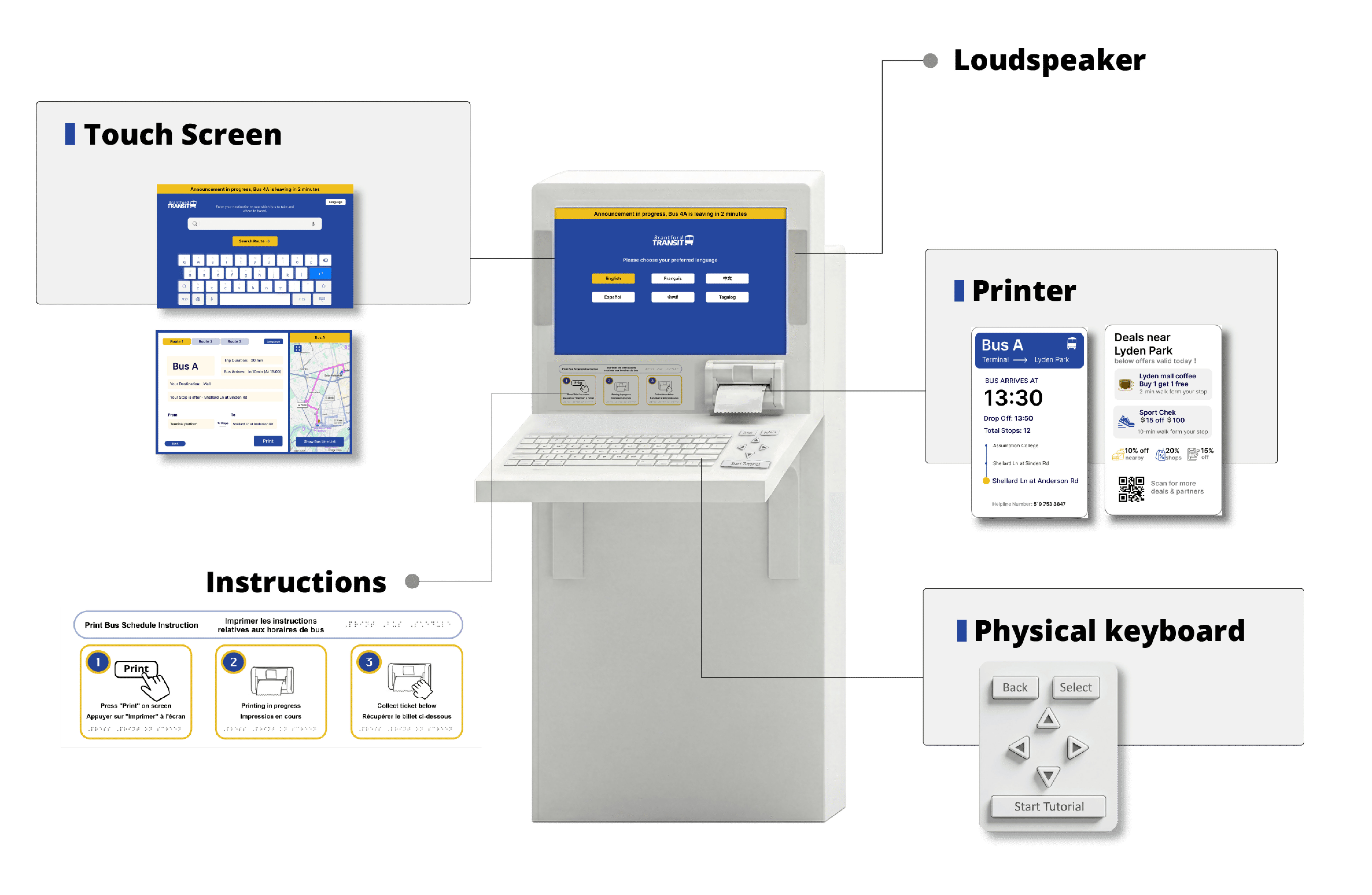
Multimodal Alerts (Audio & Visual): The physical kiosk is lined with an LED light strip that flashes red when a bus is arriving, while a built-in speaker simultaneously announces the arrival out loud. On the screen, the specific bus route map visually moves ahead to match the alert.
Cognitive & Visual Accessibility: The digital interface utilizes large fonts, high-contrast text, and a simplified layout to reduce cognitive overload, specifically targeting seniors and users who are not tech-savvy.
Voice-Activated & Multilingual: To assist newcomers and users with limited mobility, the kiosk supports multiple languages (including English, French, and Simplified Chinese) and features audio input so users can speak to the kiosk instead of typing.
Physical Handout Dispenser: Recognizing that not all users want a purely digital experience, the kiosk includes a dispenser that provides physical handouts detailing which bus they need to take to reach their destination.
Real-Time System Integration: Replaces static, unreliable printed schedules with real-time transit data, displaying live delays and route changes to reduce user anxiety during bad weather or at night.

Results
Here, the outcomes and achievements of the project are highlighted, including user feedback, adoption rates, and industry recognition.
User engagement
Increased session duration by 25% due to improved navigation and playlist management features
Conversion rates
Blues saw a 15% increase in premium subscriptions following the redesign, thanks to a clearer call to action and streamlined onboarding process.
Growing User Base
The app quickly gained traction among individuals and businesses worldwide, with a steady increase in user adoption and engagement.
We won Bronze among 40 entries at the HCI Conference of Montreal for this project in 2026


